인앱 업데이트 기능은?
기기에서 앱을 최신 버전 상태로 유지하며 새로운 기능을 사용해보게끔 할 수 있습니다.
인앱 업데이트는 활성 사용자에게 앱을 업데이트하라고 메시지를 표시해주는 Google Play Core 라이브러리 기능입니다.
인앱 업데이트 기능은 Android 5.0 이상의 기기에서만 지원되며, APK 확장 파일을 사용하는 앱과는 호환되지 않습니다.
인앱 업데이트 방식
유연한 업데이트는 상태 모니터링 기능과 백그라운드 다운로드 및 설치를 제공합니다.
이를 통해서 사용자가 업데이트를 다운로드하는 동안 앱을 사용할 수 있게끔 하는데에 적합합니다.
그래서 사용자가 앱의 중요하지 않은 새 기능을 사용해보도록 유도할 수 있습니다.

즉시 업데이트는 사용자가 앱을 계속 사용하려면 앱을 업데이트하고 다시 시작해야하는 전체 화면 플로우입니다.
이 경우에는 업데이트가 앱의 핵심 기능에 중요한 경우에 가장 적합합니다.
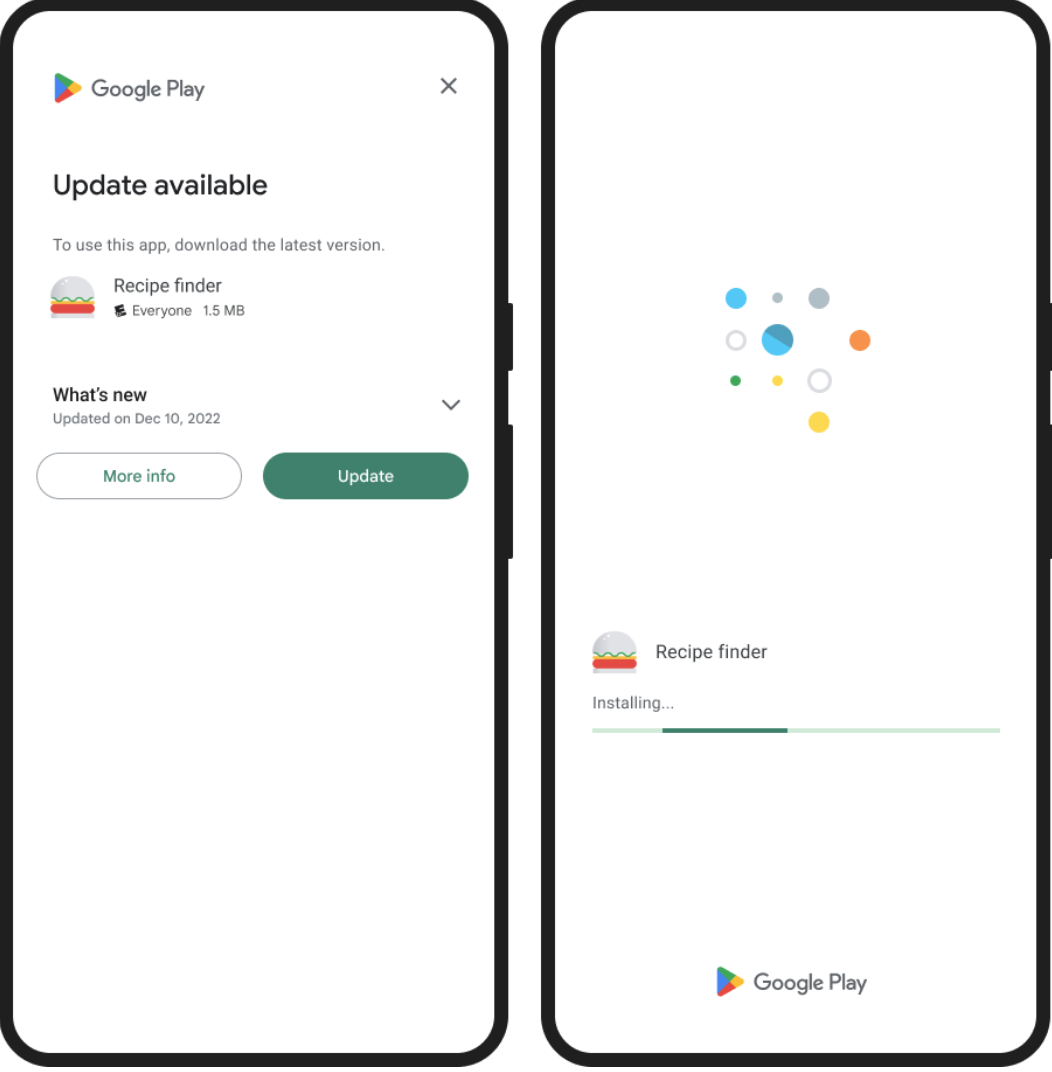
해당 기능 사용 방법
우선 Gradle 종속 내에 해당 항목을 추가해줍니다.
// In your app's build.gradle file:
...
dependencies {
    // This dependency is downloaded from the Google's Maven repository.
    // So, make sure you also include that repository in your project's build.gradle file.
    implementation 'com.google.android.play:app-update:2.1.0'

    // For Kotlin users also add the Kotlin extensions library for Play In-App Update:
    implementation 'com.google.android.play:app-update-ktx:2.1.0'
    ...
}
업데이트를 요청하기 전에 앱에 사용할 수 있는 최신 버전의 업데이트가 있는지를 확인합니다.
val appUpdateManager = AppUpdateManagerFactory.create(context)

// Returns an intent object that you use to check for an update.
val appUpdateInfoTask = appUpdateManager.appUpdateInfo

// Checks that the platform will allow the specified type of update.
appUpdateInfoTask.addOnSuccessListener { appUpdateInfo ->
    if (appUpdateInfo.updateAvailability() == UpdateAvailability.UPDATE_AVAILABLE
        // This example applies an immediate update. To apply a flexible update
        // instead, pass in AppUpdateType.FLEXIBLE
        && appUpdateInfo.isUpdateTypeAllowed(AppUpdateType.IMMEDIATE)
    ) {
        // Request the update.
    }
}
업데이트가 있다는 것을 확인하면, AppUpdateManager.startUpdateFlowForResult() 를 사용하여 업데이트를 요청할 수 있습니다.
appUpdateManager.startUpdateFlowForResult(
    // Pass the intent that is returned by 'getAppUpdateInfo()'.
    appUpdateInfo,
    // an activity result launcher registered via registerForActivityResult
    activityResultLauncher,
    // Or pass 'AppUpdateType.FLEXIBLE' to newBuilder() for
    // flexible updates.
    AppUpdateOptions.newBuilder(AppUpdateType.IMMEDIATE).build())
업데이트 요청을 너무 자주 보내는 경우, 사용자가 귀찮아할 수 도 있으므로 업데이트 요청 횟수를 염두에 두어야합니다.
그리고 즉시 업데이트와 달리 Google Play는 유연한 업데이트를 위해 앱 재시작을 자동으로 트리거하지 않기 때문에
유연한 업데이트에서는 사용자가 업데이트 설치 여부를 결정할 때까지 앱과 계속 상호작용 할 수 있습니다.
'Android > sdk' 카테고리의 다른 글
| [Android] Android 16의 화면 방향 및 크기 조절 변경 사항 (0) | 2025.12.22 |
|---|---|
| [Android] AlarmManager 통해서 알람 예약하기 (0) | 2025.04.17 |
| [Android] Target SDK Version, Android 앱 호환성과 최신 기능 지원 (1) | 2025.03.12 |